
The digital world is full of convincing AI images. It’s hard to tell real photos from fake ones now.
Most adults find it tough to spot fakes. We really need a way to check things online.
An AI image detector is the answer. It checks if images are real or not.
People like journalists and teachers use these tools a lot. They help stop fake news and keep the internet honest.
This guide will teach you how to use these detectors. You’ll learn to check images and fight online scams.
The Growing Imperative: Why Spotting Fake Photos Matters
Spotting fake photos is key to keeping our world safe. These images can cause real harm in many areas. With advanced digital manipulation tools, fake images are used to hurt people and damage trust.
At a societal level, fake photos spread misinformation fast. They can change public opinion and harm democracy. They can make political events seem different, cause trouble, or make people doubt news and institutions.
Financial and legal systems are also at risk. Scammers use fake images for false insurance claims or to damage property. AI-generated fake IDs can trick systems, leading to fraud and money laundering.
Online scams use fake photos to trick people. These scams include fake listings and romance scams. The goal is always to make money by deceiving others.
On a personal level, fake photos can cause serious harm. They can be used for harassment or to impersonate someone. This can damage a person’s reputation or relationships.
One of the worst uses is creating false evidence. A single fake photo can change the outcome of legal cases. This threatens the idea of photographic proof.
The table below shows why we need to spot fake photos. It highlights the risks to our safety and trust.
| Risk Domain | Primary Manifestations | Potential Impact |
|---|---|---|
| Societal & Political | Election interference, fake news stories, fabricated protest imagery. | Erosion of public trust, social polarisation, undermining of democratic institutions. |
| Financial & Commercial | Fake insurance claims, forged documents for KYC, marketplace scam listings. | Direct financial loss for individuals and companies, increased costs and fraud for insurers. |
| Personal & Reputational | Non-consensual intimate imagery, identity impersonation, targeted harassment. | Severe psychological harm, damaged personal and professional relationships, loss of privacy. |
| Legal & Evidential | Fabricated evidence for court cases, false alibis, doctored documentation. | Miscarriages of justice, loss of faith in legal systems, complications in investigations. |
Identifying fake photos is vital to protect us all. Fighting digital manipulation helps keep truth and trust alive. If we don’t, we risk falling victim to more sophisticated scams.
What is an AI Image Detector?
An AI image detector is a tool for the digital age. It checks pixels and patterns to see if an image was made by a human or AI. These tools help fight against fake synthetic media.
AI image detectors use advanced machine learning. They learn from huge datasets of real photos and AI-made images. This helps them spot the signs that AI left behind.
Unlike simple metadata readers, these detectors do a deep analysis. They look for things like structural issues and unnatural textures. These are signs of AI, but hard for humans to see.
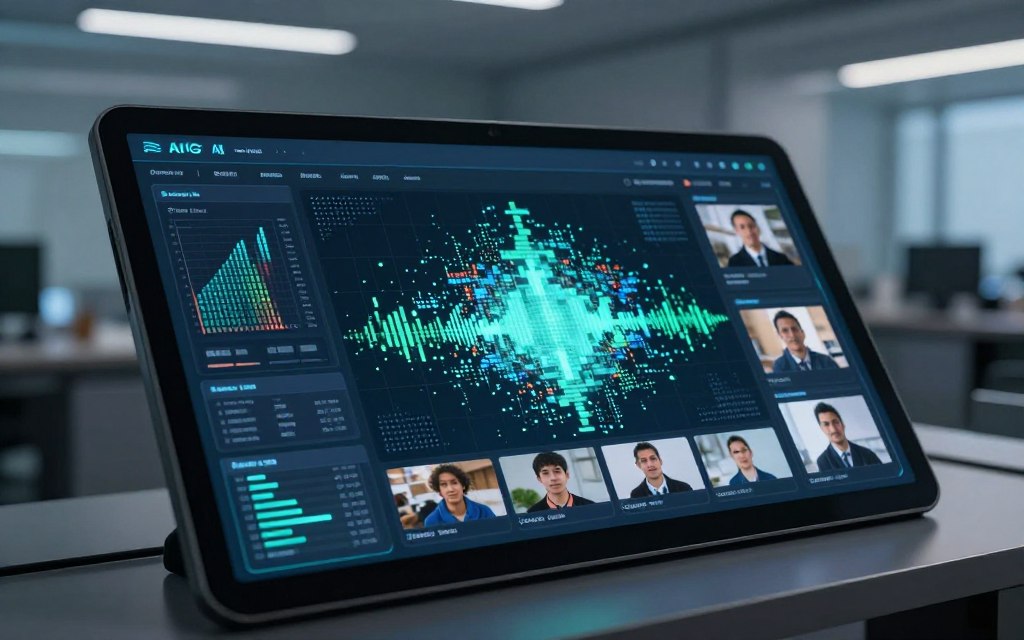
These tools are made to find images from AI models like Stable Diffusion and DALL-E. Each AI has its own unique signs that detectors can identify.
Many detectors are part of bigger content checking systems. They help platforms automatically check images for synthetic media. This is key for keeping social media and news sites honest.
The table below shows how AI image detectors differ from simple metadata readers:
| Analysis Feature | AI Image Detector | Basic Metadata Reader |
|---|---|---|
| Primary Method | Machine learning analysis of pixel data and statistical patterns. | Reading embedded file information (EXIF data). |
| Depth of Inspection | Deep, forensic-level scrutiny of image composition and artefacts. | Surface-level, limited to tags and timestamps added by the device or software. |
| Detects AI Generation | Yes, identifies hallmarks of specific AI models (e.g., DALL-E, Midjourney). | No, cannot determine the origin of the image’s content. |
| Main Use Case | Authenticity verification, content moderation, and genai detection. | Organising photos, checking camera settings, basic copyright checks. |
| Typical Output | A probability score (e.g., “98% likely AI-generated”) and a detailed report. | Raw data fields (e.g., camera model, aperture, GPS coordinates). |
In summary, AI image detectors are key for checking images online. They help us understand if images are real or made by AI. This is important for making smart choices about what we see online.
How AI Image Detectors Work: The Technology Behind the Analysis
At the heart of every AI image detector is a complex neural network. It’s trained to spot the digital fingerprints of synthetic imagery. Unlike traditional methods, these systems perform a deep visual analysis of the pixel content itself. This is key because metadata is often stripped when images are shared online.
The core technology is a convolutional neural network (CNN). Think of a CNN as a series of digital filters scanning an image at different scales and depths. It has been trained on millions of images, learning to recognise subtle patterns of synthetic creation. In tests, these models can outperform human judgement, spotting tells that our eyes miss.
So, what exactly are these detectors looking for? They’re programmed to identify flaws that betray an image’s artificial origins. Common red flags include unnaturally smooth textures in areas like skin or hair, where AI generators tend to over-optimise and remove natural noise.
Another key area is inconsistent physics. AI can struggle with replicating the complex interplay of light, shadow, and reflection. Detectors analyse lighting directions across an image, flagging shadows that fall the wrong way or highlights that don’t match the supposed light source.
Biological features are also a major giveaway. Asymmetrical ears, misshapen fingers, or strangely aligned eyes are frequent artefacts in AI-generated portraits. The neural network is trained to spot these anatomical inconsistencies that a human might overlook.
Detectors also examine the logical relationships between objects within a scene. An AI might place a reflection in water that doesn’t match the object above it, or create a book with illegible, garbled text. These illogical elements are strong indicators of synthetic generation.
After its analysis, the tool doesn’t simply give a yes-or-no answer. It outputs a confidence score, such as “99% likely AI-generated” or “78% probability of authenticity.” This score reflects the algorithm’s certainty based on the evidence it has found. It’s important to understand that while detection accuracy is impressively high, it’s not absolute. No tool offers 100% certainty, and false positives or negatives can occur.
The field is defined by a continuous technological arms race. As AI image generators become more sophisticated, their outputs contain fewer of these tell-tale flaws. Detection models must then be retrained on new datasets to catch up. This ongoing cycle means the detection accuracy of any tool is a snapshot in time. For a deeper dive into the underlying principles, you can explore this resource on how AI detectors work.
Ultimately, the process is a remarkable feat of modern visual analysis. By decomposing an image into its fundamental patterns and comparing them against a vast learned database of real and fake traits, AI detectors provide a powerful, automated lens for assessing digital media’s authenticity.
Leading AI Image Detection Tools and Platforms
Many powerful platforms have come up to check if digital images are real. The right tool for you depends on what you need. You might want to check lots of images, do deep analysis, or just do quick checks. This section looks at four top detection tools, what they do best, and when to use them.

Hive Moderation
Overview
Hive Moderation offers a top-notch API for big platforms. It’s great at spotting AI-made images and other bad content.
Key Features
- Comprehensive API: It’s easy for developers to use, working with images and videos.
- Broad Generator Coverage: It’s very good at spotting AI images from many models.
- Real-time Processing: It’s fast, helping big platforms make quick decisions.
Best For
It’s perfect for big social media sites, online shops, and any big platform needing to check content fast.
Intel’s FakeCatcher
Overview
Intel’s FakeCatcher is different. It checks for real blood flow in videos to find deepfakes quickly.
Key Features
- Biological Signal Analysis: It looks for real blood flow, missing in fake faces.
- Real-time Detection: It works fast, great for live streams.
- High Accuracy Claim: Intel says it’s 96% accurate.
Best For
It’s great for news, politics, and security to quickly check videos.
InVID-WeVerify Plugin
Overview
This free browser extension helps journalists and researchers. It checks images and videos in many ways.
Key Features
- Multi-faceted Toolkit: It does image checks, video analysis, and social media scans.
- Browser Integration: It works in Chrome or Firefox for quick checks.
- Educational Focus: It teaches how to verify, not just says yes or no.
Best For
It’s perfect for journalists, fact-checkers, teachers, and students. It’s free and helps learn about digital media.
AI or Not
Overview
AI or Not is easy to use. You can upload images for a quick check. It’s great for the public to learn about AI.
Key Features
- Simple User Interface: It’s easy to use, with drag-and-drop or upload.
- Fast Results: It quickly tells you if an image is AI-made.
- Free Tier Available: You can try it for free, with more options for paying users.
Best For
It’s great for anyone who wants to check images easily. It’s perfect for bloggers, small businesses, and individuals.
| Tool | Overview & Core Technology | Key Features | Best For |
|---|---|---|---|
| Hive Moderation | Enterprise API for scanning user-generated content at scale. Uses deep learning trained on diverse datasets. | Real-time API, broad AI model coverage, designed for high-volume platforms. | Large social platforms and e-commerce sites needing automated content moderation. |
| Intel’s FakeCatcher | Analyses biological signals like blood flow in videos to spot deepfakes. | Real-time video analysis, high claimed accuracy, unique physiological approach. | Verifying live video feeds in news, security, and broadcasting. |
| InVID-WeVerify Plugin | Open-source browser extension for multi-method verification (forensics, reverse search). | Free tool, integrates with browser, educational framework for fact-checking. | Journalists and educators teaching digital media literacy. |
| AI or Not | User-friendly web app for quick, public-facing AI image checks. | Simple drag-and-drop interface, instant probability score, free tier available. | Casual users and small businesses needing straightforward detection tools. |
Knowing what each platform does best is key. The next part will show you how to use these detection tools in your work.
A Step-by-Step Guide to Using an AI Image Detector
Using an AI image detector is more than just uploading a file. It’s a detailed process. This guide will help you check any photo with confidence. You’ll learn to verify digital images like a pro.
Step 1: Selecting the Right Tool for Your Needs
First, choose the right platform. AI image detectors vary in what they do best. Think about what you need: quick checks for social media, detailed forensic analysis, or processing many files at once?
Some tools are fast and easy to use, while others give detailed reports. For journalists, tools that explain their results are key. For everyday users, a simple pass/fail might be enough. Look at the table below to find the right tool for you.
| Tool | Best For | Key Feature | Analysis Depth |
|---|---|---|---|
| Hive Moderation | Content moderation at scale | Batch processing & API | High (detailed confidence scores) |
| Intel’s FakeCatcher | Real-time deepfake detection | Analyses blood flow in pixels | Very High (specialised biometric analysis) |
| InVID-WeVerify Plugin | Journalists and fact-checkers | Integration with verification toolkit | Medium to High (contextual analysis) |
| AI or Not | Quick public checks | Simple, free web interface | Basic (AI-generated likelihood) |
Step 2: Preparing Your Image for Analysis
To get the best result, start with the original, highest-quality file. Always use the original, highest-resolution version available. Using screenshots or heavily compressed JPEGs can lose important data that AI needs.
If you must use a secondary copy, make sure it hasn’t been altered too much. Common formats like PNG, JPEG, and TIFF work well. The cleaner the input, the better the output.
Step 3: Uploading the Image and Initiating the Scan
Most platforms have an easy drag-and-drop interface. Look for a clear upload area on the website. Just drag your file into it or click to find it on your computer.
After picking the file, click “Analyse,” “Check,” or “Detect” to start the scan. The time it takes varies, depending on the image and server load. You’ll see a progress bar to keep you updated.
Step 4: Understanding the Analysis Report
This is the main part. The report won’t just say “real” or “fake.” It will give you a confidence score—a percentage showing how sure the tool is about the image’s authenticity.
A score of 95% means you should be very suspicious. A score of 55% is uncertain. Some tools also show a heatmap of the image, pointing out any odd parts.
Don’t rely on one result alone. See the report as strong evidence in a bigger puzzle.
Step 5: Corroborating with Traditional Techniques
AI detection is great, but you should also use old-school methods. Always check the AI’s findings with traditional ways.
First, do a reverse image search with Google Images or TinEye. This can show where the photo has been used before or if it’s a stolen image.
Second, look at the file’s metadata. On a computer, right-click the image, select “Properties,” and go to the “Details” tab. Check for creation software, camera model, and timestamps. Odd metadata can be a red flag.
By combining AI analysis with a reverse image search and metadata check, you build a strong case for or against an image’s authenticity. This approach is key for a savvy digital user.
Interpreting Your Results: What the Findings Actually Mean
The score from a detection tool is not a final verdict. It’s a piece of evidence that needs careful analysis. Most tools give a percentage or confidence score. This score shows how sure the algorithm is that an image is AI-generated.
A result of 95% means there’s a high probability. But it’s not absolute proof. Your own judgement is the most important part.
This is key to understanding detection accuracy. Tools are trained on huge datasets. But they can’t cover every image variation. So, a score is a strong hint, not a definite fact.
It’s one piece of evidence in a bigger investigation.
Common problems can lead to wrong conclusions. False positives happen when a real photo is mistaken for AI. This can be due to:
- Heavily edited or filtered real photos.
- Images with specific artistic styles, like hyperrealism or digital paintings.
- Low-quality or highly compressed source files.
On the other hand, false negatives are also a challenge. These occur when an AI image is missed as “real”. This often happens with new, untrained AI models.
Effective AI art detection means looking at the tool’s output and other evidence. Check the source’s credibility. Has the account or website shared manipulated content before?
Consider if the scene or subject is logical. Use traditional verification methods like reverse image searches or metadata analysis.
“Technology gives clues, but critical thinking solves the case. The most advanced detector is an assistant to your judgement, not a replacement for it.”
To make sense of scores, use a framework. Your next steps should depend on the confidence level and the context of your inquiry.
| Confidence Score Range | Likely Meaning | Common Confounders | Recommended Next Steps |
|---|---|---|---|
| 90-100% | Strong evidence of AI generation. | Highly stylised real art; images from known AI platforms. | Seek original source. Analyse context for anomalies. Consider the finding highly credible but not irrefutable. |
| 60-89% | Moderate suspicion; unclear origin. | Heavily edited photos; mixed human/AI workflows. | Corroboration is essential. Perform a reverse image search. Scrutinise image details closely. |
| 30-59% | Low confidence; likely real but with AI-like features. | Digital art, specific lighting, or textures that mimic AI output. | Rely more on traditional verification methods. The detector’s signal is weak here. |
| 0-29% | High confidence the image is real. | None typical, but new AI models can cause false negatives. | Remain cautiously sceptical if context is suspicious. Update your knowledge on emerging AI tools. |
To improve your detection accuracy, use a layered approach. A high score means you should look closer, not stop. A low or moderate score doesn’t mean you can ignore it. As AI art detection grows, so must your skills. Always balance technology with human doubt.
Limitations and Ethical Considerations of Detection Technology
AI for spotting fake photos brings up complex issues. These tools are key in fighting digital lies, but we must understand their limits. This is vital for using them responsibly.
AI detectors are not perfect. They work by looking at patterns and chances, which means they can be wrong. They can miss real photos or flag fake ones wrongly.
When a real photo is marked as fake, it can harm honest journalism or personal records. On the other hand, if a fake photo is missed, it can make us feel safe when we’re not.
These tools also struggle to keep up with new AI. If they’re not trained on new tools, they can’t spot fakes well.
Photos are often changed before being checked. Editing, sharing on social media, or simple changes can hide clues. This makes it harder for detectors to be sure.
The table below shows the main problems with these tools. It shows why we should use them with caution and not rely on them too much.
| Aspect | Technical Limitation | Ethical Consideration |
|---|---|---|
| Result Accuracy | Probabilistic scores; risk of false positives/negatives. | Over-reliance can lead to wrongful accusations or misplaced trust. |
| Evolving Threats | Detection lag against new AI models and generators. | Creates a false narrative of security if tools are marketed as all-seeing. |
| Altered or compressed images reduce analysis reliability. | Privacy concerns when uploading sensitive images to third-party servers. | |
| Application | Best used as an initial screening tool in a broader workflow. | Potential for misuse in automated censorship or content moderation systems. |
There are big ethical worries too. One big one is privacy and security when you send images online. Sending sensitive images to a server can be risky.
These tools could also be used badly. They might be used to censor too much or to silence people unfairly. It’s important to be open about how they work.
AI detectors should help, not decide everything. They should be part of a bigger effort that includes checking sources and thinking critically. Relying too much on them is risky.
Best Practices for the Astute Digital Media Consumer
AI detectors are useful, but your critical eye is the most important tool for spotting fake photos. Technology offers a second opinion, but media literacy skills make you a first-line analyst. This approach helps you question content before it spreads.
Every image has a story, but you need to question the narrator. Before sharing or believing a picture, ask these key questions:
- Message & Source: What is the apparent intent? Who shared it, and what might their motivation be?
- Provenance: Where did this image originally come from? Can you trace it back to a credible publisher or event?
- Context & Audience: Does the image fit logically with the story it supports? Who is the intended audience, and how might that influence its presentation?
- Emotional Reaction: Is the image designed to provoke a strong emotional response, like anger or fear?
Asking these questions builds a habit of healthy scepticism. This is a key part of modern media literacy.
Alongside these questions, learn to spot AI-generated imagery flaws. Synthetic photos often have subtle flaws that our brains can learn to recognise:
- Inconsistent Details: Look for unnatural textures in hair, skin, or fabric. AI can struggle with rendering complex, non-repetitive patterns.
- Impossible Physics: Shadows that fall in wrong directions, mismatched lighting on a subject’s face, or reflections that don’t align with the environment.
- Anatomical Oddities: Pay close attention to hands, ears, and teeth. Extra fingers, misshapen ears, and blurred or too-perfect teeth are frequent giveaways.
- Background Blurs & Errors: Objects in the background may melt into each other, or architecture might contain impossible geometries.
- Garbled Text: Any text on signs, logos, or clothing in an image is often a weak point for AI, resulting in gibberish or implausible fonts.
This visual audit is a practical skill. For a deeper dive into the technical analysis behind these flaws, consider reading about the critical role of fake image detection in professional settings.
Beyond visual inspection, don’t neglect metadata analysis. While often stripped on social media, checking an image’s EXIF data (if available) can reveal the camera model, date, time, and location of the original shot. Inconsistencies here are a major red flag.
The goal isn’t to prove every image fake, but to pause and verify before you amplify.
Practice is the best way to sharpen these skills. Several online platforms offer quizzes where you can test your ability to distinguish real photos from AI-generated ones. Regularly engaging with these exercises hones your intuition and makes you a more resilient and astute consumer of all digital media.
Conclusion
Today’s online world needs sharp skills to check visual media. AI image detectors are key for finding out if images are real. They help us look at photos and videos in a new way.
Tools like Hive Moderation and Intel’s FakeCatcher show how advanced fake photo detection has become. They look at tiny details that we can’t see.
But, technology alone can’t always tell the truth. The best way is to mix AI with human thinking. Checking sources and metadata is also important.
This mix helps you tell real from fake content. It’s key for keeping trust online and keeping everyone safe. Your efforts to verify information help make the internet more trustworthy.
Use these tools and methods to spot fake photos better. They help you choose what to share online wisely. Being careful about what you share makes you a better digital citizen.
Your careful eye and use of detection tools help make the internet more honest. This is good for everyone.
FAQ
What is an AI image detector and how does it differ from checking a photo’s metadata?
An AI image detector is a tool that uses machine learning to check an image’s pixel data. It looks for signs of AI creation, like patterns and digital marks. This is different from just looking at metadata, which can be changed or fake.
Detectors do a deep analysis of the image itself, not just its metadata.
Can AI image detectors guarantee 100% accuracy in identifying a fake photo?
No, they can’t guarantee 100% accuracy. They give a score, like “95% likely AI-generated”. This score is very high but can change based on many things.
Things like heavy editing, new AI models, or low image quality can affect it. Always see the result as strong evidence, not proof.
What are some common visual ‘tells’ in an image that might prompt me to use a detector?
Look for unnatural things in an image before using a detector. Check for smooth textures, weird lighting, and strange features. Also, look for garbled text and patterns.
If an image seems odd, it’s a good idea to check it with a detector.
Which AI detection tool is best for a journalist needing fast verification on a breaking story?
For quick checks, the InVID-WeVerify browser plugin is great. It lets you verify images and videos from your browser. It uses reverse image search and metadata analysis too.
For a simple web check, AI or Not is a good choice. It’s free and gives quick results.
How do I interpret a ‘confidence score’ from an AI image detector?
The confidence score shows how likely the image is AI-made. A score of 95% or more is strong evidence. Scores between 50-80% mean it’s uncertain, possibly due to edits or detector limits.
A low score means the image is likely real. But, it’s not a sure thing. Always check the score with your own analysis and other checks.
What are the main ethical concerns surrounding the use of AI image detection technology?
There are privacy risks when using third-party servers. There’s also the risk of misuse, like censorship. Over-reliance on the tool can also be a problem.
It’s important to be open about using detector results, like in legal or journalistic work. Acknowledge the uncertainty of the findings.
Can these detectors analyse videos for deepfakes as well as static images?
Yes, some tools are made for video analysis. Intel’s FakeCatcher is one example, detecting deepfakes with 96% accuracy. Hive Moderation also offers video detection through its API.
What should I do if I get an uncertain or unexpected result from a detector?
Uncertain results mean you need to check further. Do a reverse image search with Google Lens or TinEye. Look at any metadata available.
Assess the image’s context and where it came from. Try another detector for a second opinion. Aim for a strong case based on many checks, not just one tool.
Are there any free AI image detectors that are reliable for personal or educational use?
Yes, there are reliable free tools. AI or Not offers free web-based analysis. The InVID-WeVerify plugin is free to use.
Hive Moderation has a free trial for testing. These tools are great for learning about media without cost.
How is the ‘arms race’ between AI generators and detectors affecting the technology’s effectiveness?
As AI generators get better, they leave fewer clues for detectors. This means detectors need to be updated often. The race between generators and detectors is ongoing.
This competition shows why detectors alone are not enough. They should be part of a wider strategy that includes human doubt and technology.

 By
By